NewRPL Ground School
Ground school,
off the ground.
Follow along with your textbook, and see what you read come to life at Tern Bay. Charlie talks you through it, you try it yourself, then you prove it in the quiz.
- Follow the trainer
- Charts
- Airspace
- Weather
- The spin
- Dusk
- Night
Your textbook, flown
Take your textbook flying.
Keep your textbook open: this is where it comes to life. Follow along as you read, and the ground school puts each part into reality, as a flight you can watch, take over and fly again: safely, one step at a time, online.
- 01See it happen. A stall, a crosswind, a falling QNH: watch what your textbook describes, from the left seat or from outside the aeroplane.
- 02Try it, safely. Pull too hard in a turn, overload the trainer, run out of runway. Nothing breaks, and you see exactly why.
- 03One step at a time. Every topic runs the same way: Charlie talks you through it, you try it, and the quiz checks you’ve got it.
- 04Online, whenever suits. In your browser at home, at the club or the night before a lesson. No fuel to buy, no weather days, no aeroplane to book.
How every topic works
Watch it. Try it. Prove it.
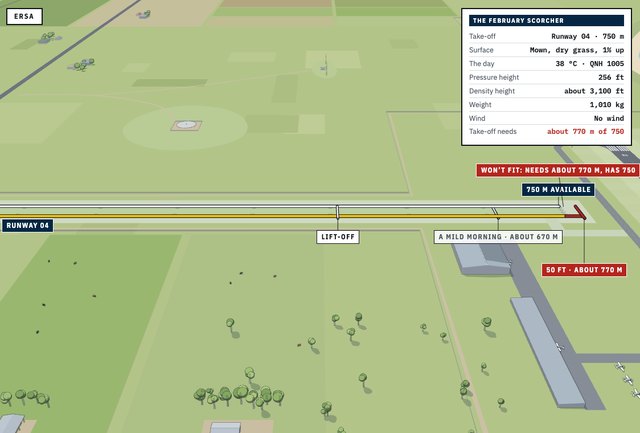
Every topic is a 3D scene at Tern Bay in three tabs, alongside the pages you’ve read.
Lesson
- What you do
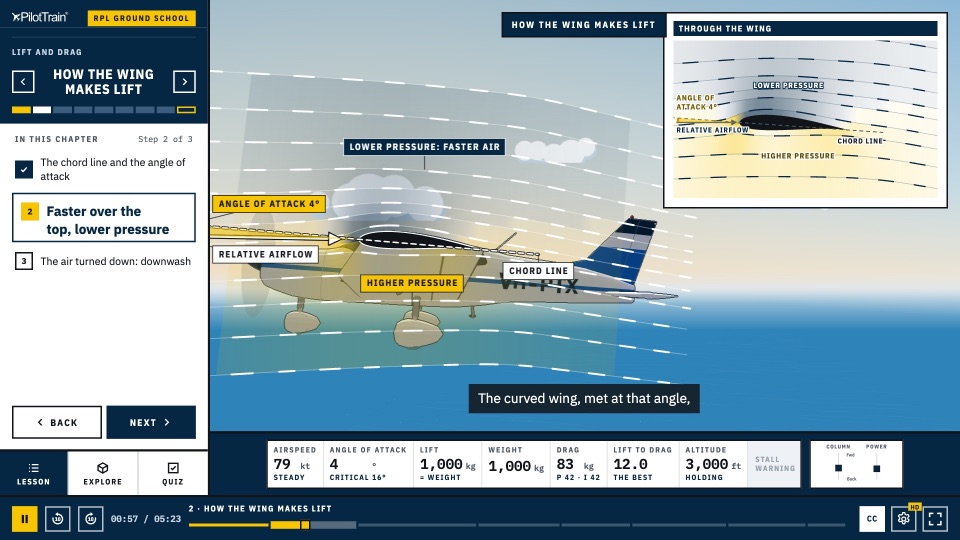
- Press play. Charlie talks you through it in short chapters while it happens around the aeroplane. Pause, wind back or jump to any chapter.
- What you see
- Tern Bay in 3D, the trainer flying the lesson, labels on what matters, and every word in the captions.
- What it gives you
- The idea seen working, so the words in your textbook have a picture to hang on.
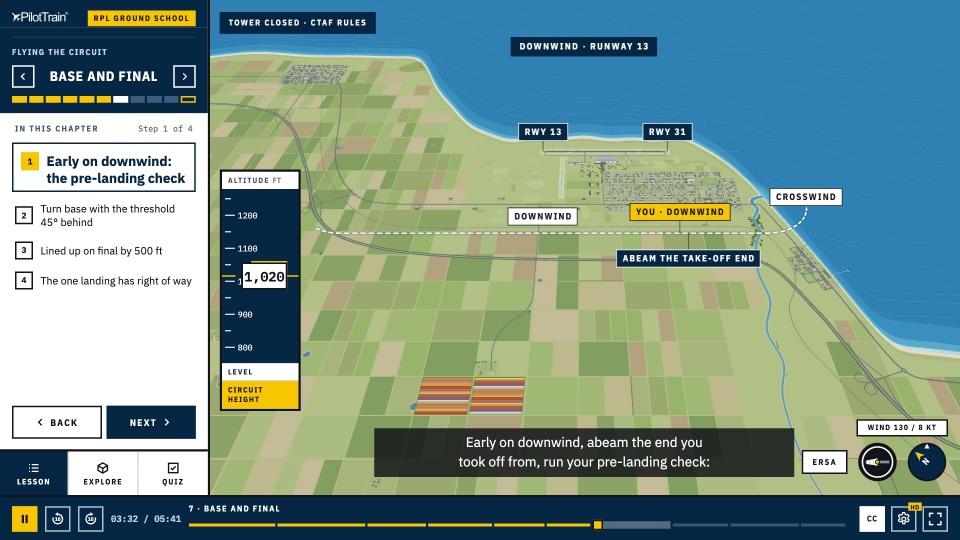
Explore
- What you do
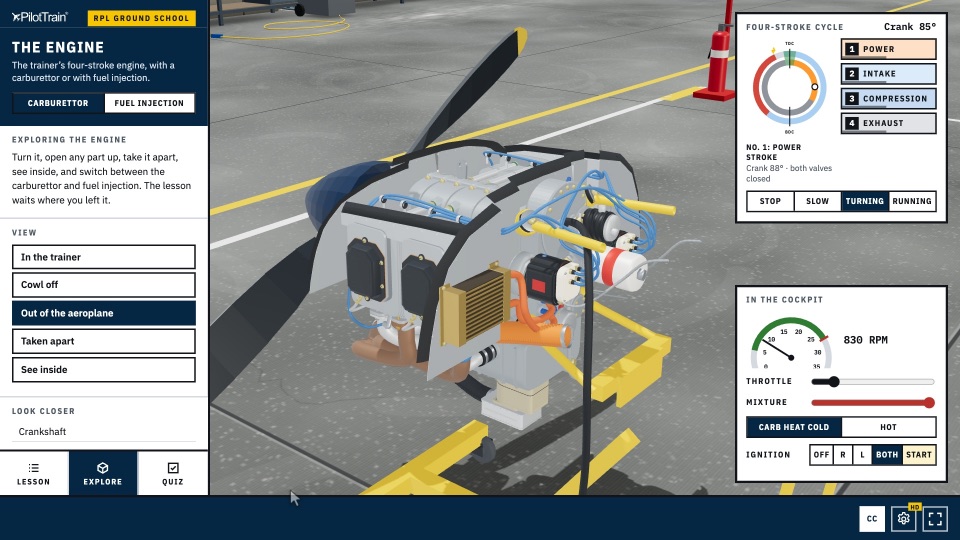
- Take over. Change the bank, the wind, the load or the runway in the topic’s own lab, as often as you like.
- What you see
- The result straight away: the stall speed climbing, the take-off roll stretching, the centre of gravity sliding out of limits.
- What it gives you
- A feel for why each rule and number is there, from the cases you’d never try in a real aeroplane.
Quiz
- What you do
- Answer questions set in the scene: what would you do, and when?
- What you see
- Each answer marked with its reason, right or wrong, and many of them flown out in front of you.
- What it gives you
- Proof you’ve got it. Score 70% to pass, and only a passed quiz completes the topic.
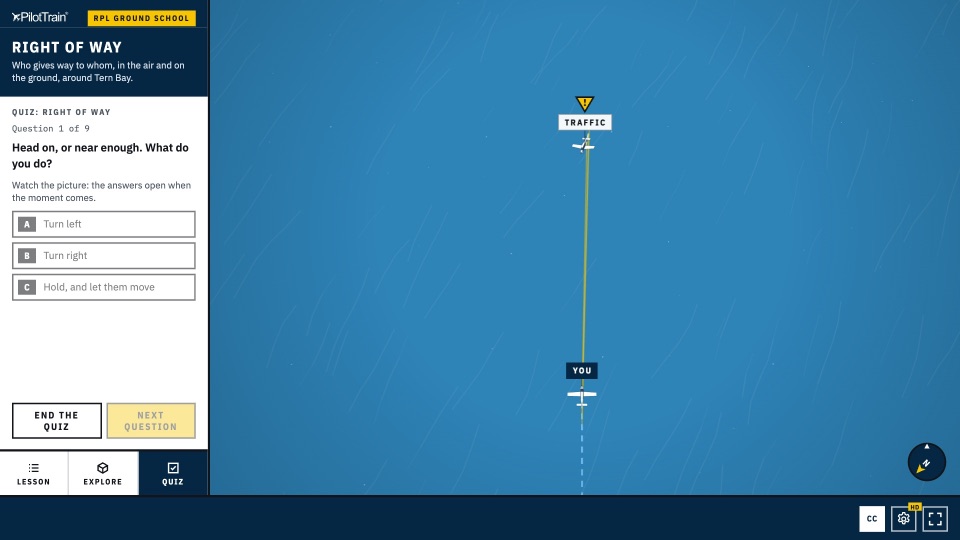
70% to pass every quiz Only a passed quiz completes the topic Every topic included in your subscription
Your instructor
Hear Charlie.
Charlie talks you through every lesson, in an advanced AI voice. Here are two lines, just as they play at Tern Bay.
- 5.4 Aerodromes and the circuit · 0:13
Early on downwind, abeam the end you took off from, run your pre-landing check: brakes, undercarriage, mixture, fuel, hatches and harnesses. Then base and final get your full attention.
- 7.6 Balance, disorientation and g · 0:15
Now the hood: it hides everything but the panel, as cloud would. In cloud, pilots without instrument training can lose control within minutes. Your body says one thing, the instruments another: believe the instruments.
What you’ll experience
From the page to Tern Bay.
From the engine taken out and opened up to a go-around over the bay, each part of what you read becomes something to see, try and fly.
Section 03 · The aeroplane · 5 topics
How an aeroplane works
Take the engine out of the trainer and open it up: the four strokes, the magnetos, the carburettor and the propeller at work. Then the fuel, the electrics and the instruments, and what it looks like when one of them goes wrong.
Section 04 · How an aeroplane flies · 7 topics
How it flies
Lift and drag drawn on the wing, the controls and trim, climbing and gliding, turning, the stall and the spin, speed limits, and taxi, take-off and landing.
Section 05 · Flight rules and air law · 6 topics
The rules and the circuit
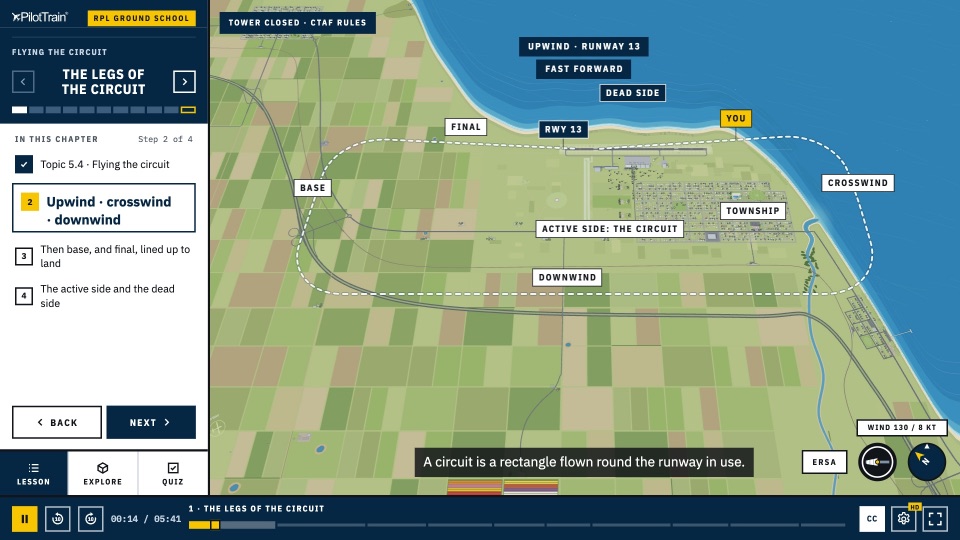
The rule books and the maintenance release, flying by the rules, right of way, the circuit with traffic in it, the tower’s light signals, and emergencies.
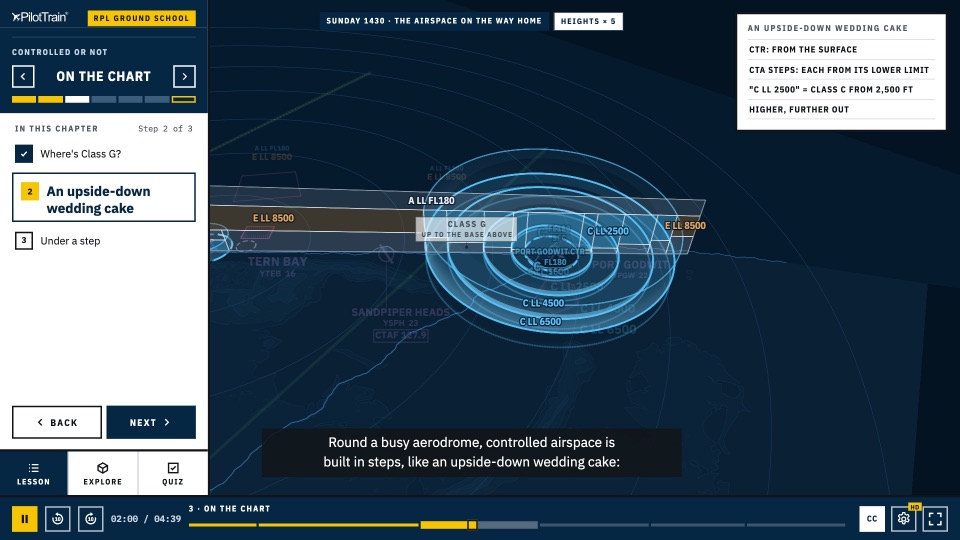
Section 06 · Charts and airspace · 7 topics
Charts and airspace
Tern Bay’s ERSA entry, the chart family, a VTC laid over the ground, controlled and restricted airspace, staying in VMC and setting the altimeter.
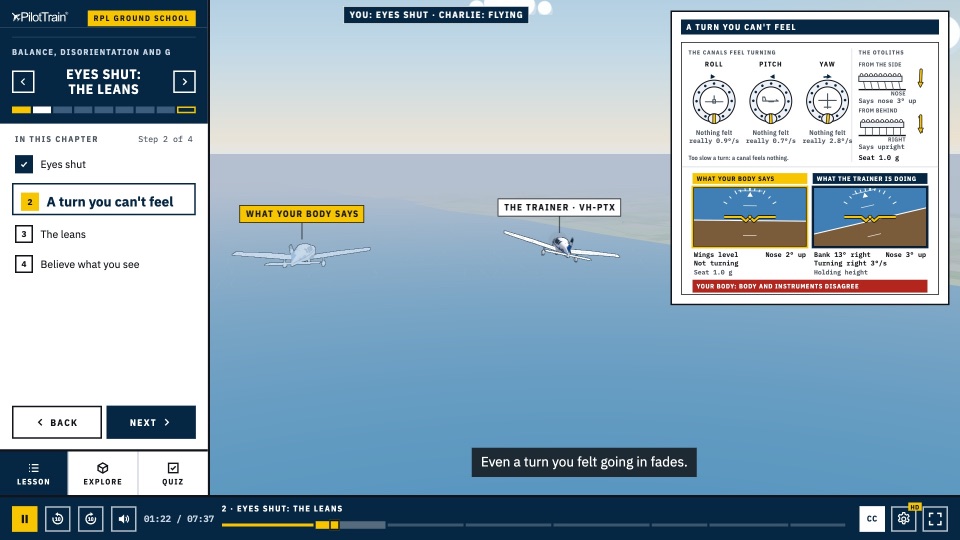
Section 07 · You, the pilot · 6 topics
Human factors
Your body and your fitness to fly, air and your ears, your eyes by day and night, illusions, disorientation and g, and the decisions you make tired or rushed.
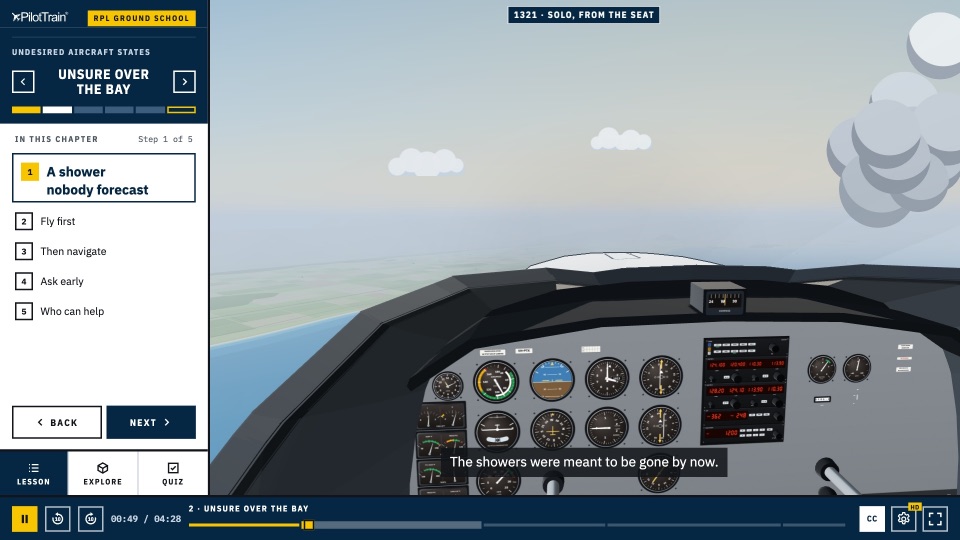
Section 08 · Weather · 4 topics
Weather
Wind, turbulence and wind shear, cloud and storms, the forecasts and reports, and a year of Tern Bay’s weather, each with its go or no-go.
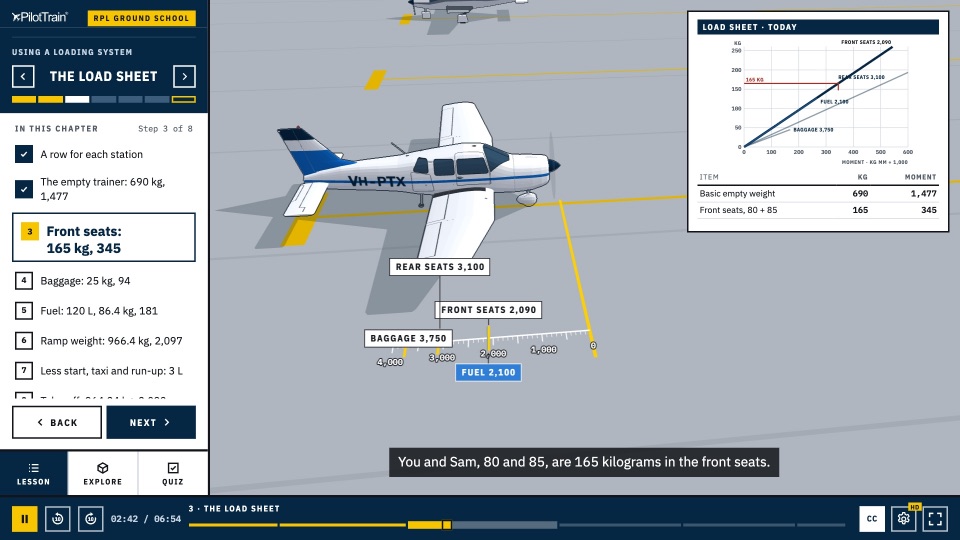
Section 09 · Performance and loading · 5 topics
Performance and loading
Take-off and landing performance on a hot day, the charts read a step at a time, weight and balance, and a loading system worked right through.
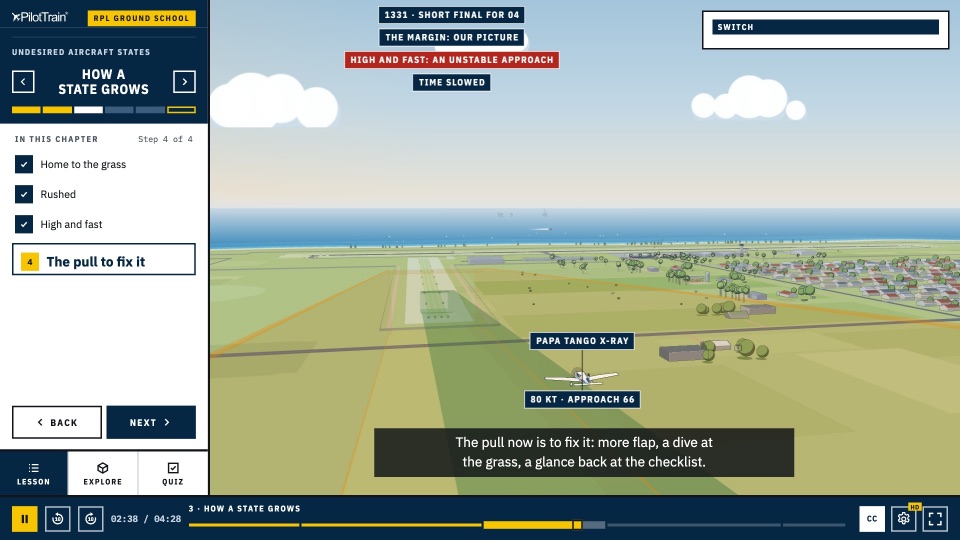
Section 10 · Threat and error management · 6 topics
Threat and error management
Threats, errors and undesired aircraft states, checklists done properly, a go-around, and the debrief at the whiteboard after a solo to the bay.
A tour of Tern Bay
One aerodrome. Every lesson.
Everything happens in one place: the same runways, the same club and the same aeroplanes, from first light to last. By the end you’ll know it like your home field.
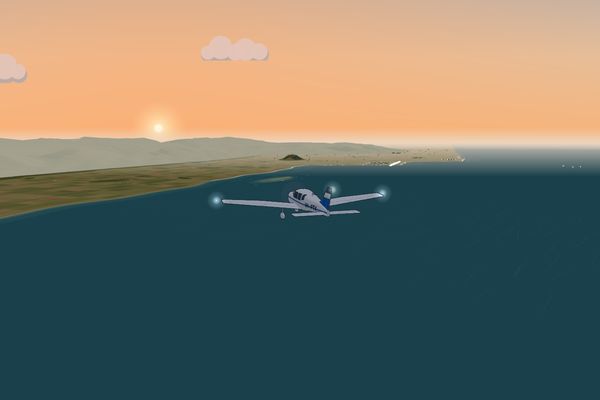
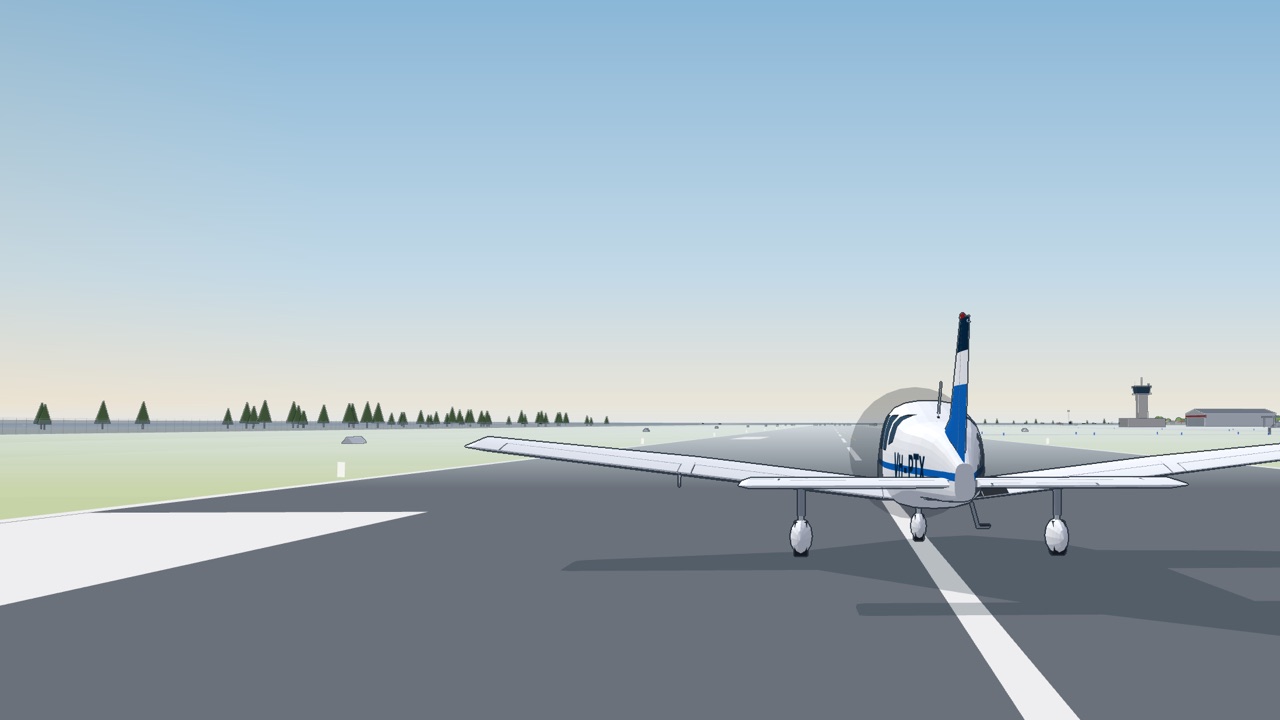
01The trainer
Your aeroplane for most of the ground school: one engine, four seats, and you in the left seat.
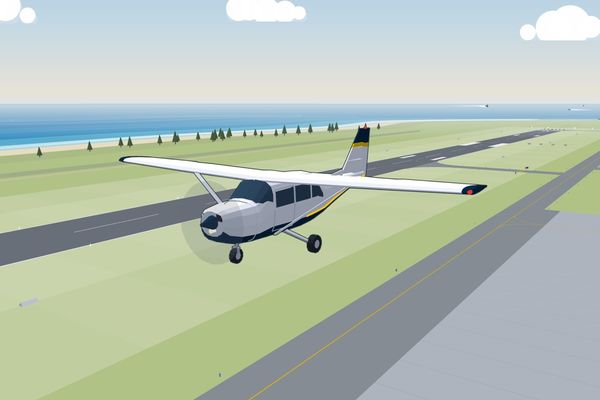
02The high-wing trainer
The club’s other aeroplane, often ahead of you in the circuit. Its charts are the ones you’ll read at Tern Bay.
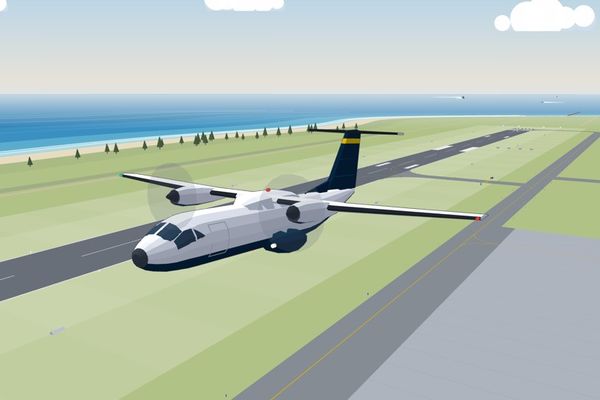
03The freighter
Tern Bay Air Freight’s twin. Its wake and its blast get lessons of their own.
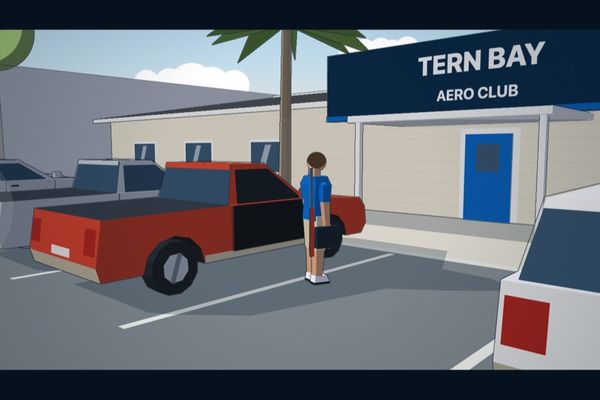
04The club
The Tern Bay Aero Club: the whiteboard brief, the ERSA on the verandah and the debrief after.
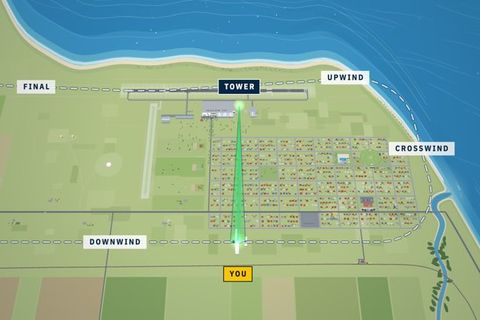
05The circuit
Every leg drawn and named, with traffic joining ahead and the freighter coming straight in.
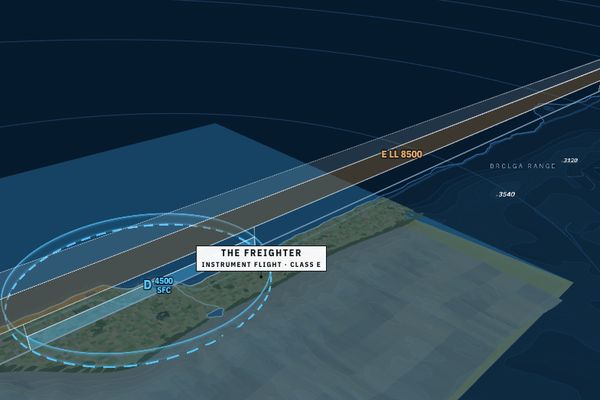
06Airspace
The classes drawn as solid tiers in the sky, so you can see where the zone starts and stops.
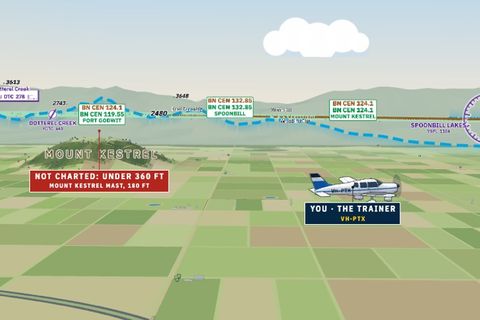
07Charts
The VTC laid over the ground it shows, from the legend to a track measured and flown.
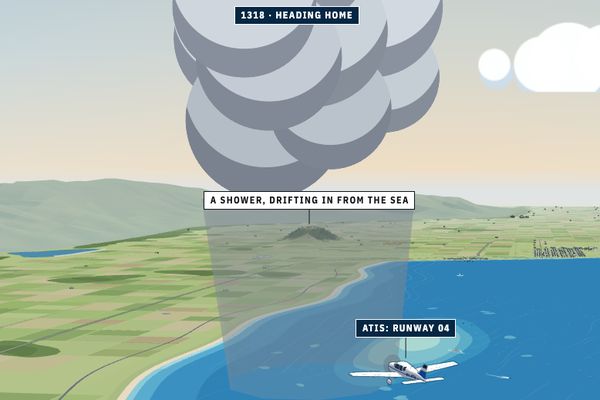
08Weather
A shower drifting in off the sea, cumulus over the bay and a sea breeze at one o’clock.
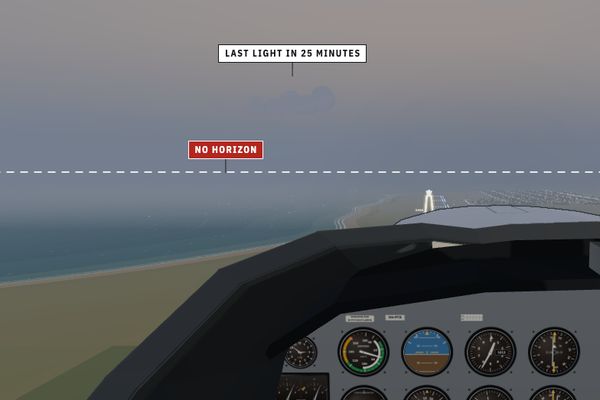
09Dusk
Home with last light coming, and what the fading light does to your eyes and your balance.
Section by section
What you’ll see come to life, section by section.
Ten sections and fifty topics, from your first walk round the trainer to planning your first area solo.
02Starting out
What the licence is, and the words the rest of the course uses without stopping to explain them.
- 2.1Your RPLWhat the licence lets you do · from first lesson to flight test · medicals and staying current · your logbook
- 2.2Speaking aviationDirection in degrees and by the clock · heading and track; true, magnetic and compass · distance, speed and wind · time and UTC · height, altitude and elevation · the units you’ll use
03The aeroplane
The machine itself, before how it flies.
- 3.1Meet the aeroplaneThe parts of an aeroplane · three axes and the controls · trim and flap at a glance · the cockpit
- 3.2The engineThe four-stroke cycle · what’s inside · ignition and the magnetos · carburettor and throttle · the mixture · carburettor or injection · the propeller · oil and cooling
- 3.3Fuel, engine handling and engine icingThe fuel system · the right fuel, and clean · refuelling safely · fuel in flight · start-up and warm-up · run-up, take-off and the limits · detonation · carburettor ice · carburettor heat · icing on an injected engine
- 3.4Electrics, vacuum and brakesThe electrical system: alternator, battery, master switch, bus bar and breakers · ammeters, loadmeters and voltmeters · the vacuum system · hydraulic brakes and their fluid · when a system fails · reading the gauges for trouble
- 3.5Flight instrumentsThe pitot-static system and pitot heat · the airspeed indicator and its colours · the altimeter: setting QNH and reading elevation · the VSI · the gyros, toppling and aligning the heading indicator · the magnetic compass · blockages and alternate static · checking the instruments
04How an aeroplane flies
The biggest part of the course, and the one every flying lesson leans on.
- 4.1Lift and dragEnergy: speed and height · the four forces · the aerofoil · angle of attack, and the angles for best lift and best glide · how lift changes · drag · the drag curve
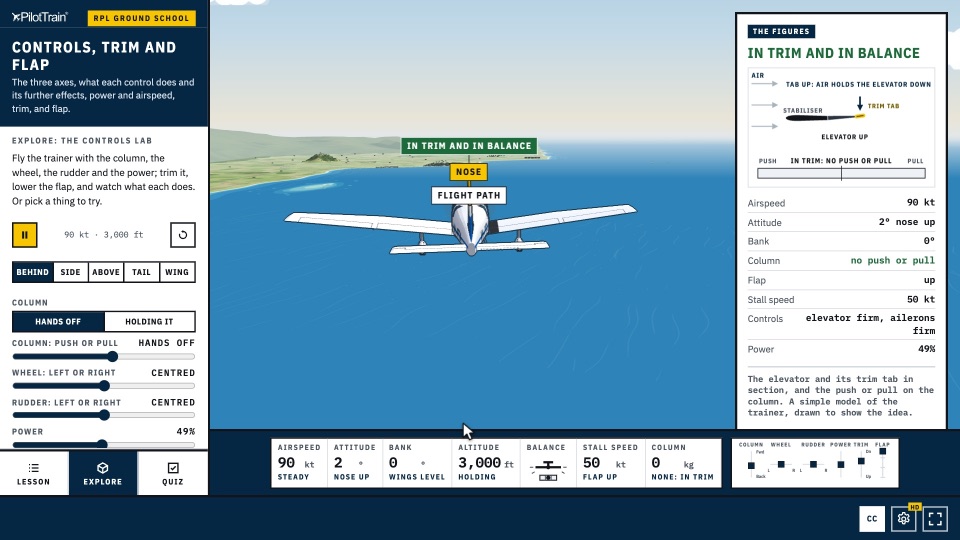
- 4.2Controls, trim and flapPrimary effects · further effects · power, airspeed and the controls · trim · flap
- 4.3Climbing, descending and glidingAttitude, angle of attack and airspeed in level flight · rate and angle of climb · what changes the climb · descending with power and flap · the glide · gliding in wind
- 4.4TurningThe balanced turn · load factor and g · stall speed in a turn · steep turns near the ground · turning downwind
- 4.5Stalls, spins and spiral divesApproaching the stall · the stall · why the stall speed changes · ailerons near the stall · recovery · spins and spiral dives
- 4.6Speed limits and load factorThe speeds on the airspeed indicator · normal operating and never exceed speeds · manoeuvring and turbulence penetration speeds · flap operating and flap extended speeds · limit and design load factors · how the limits get exceeded
- 4.7Taxi, take-off and landingTaxiing and wheelbarrowing · crosswinds on the ground · why into wind · flap or flapless · wind gradient and ground effect · damage and birdstrikes · wake turbulence and jet blast
05Flight rules and air law
The rules that keep aircraft apart, and where to look them up.
- 5.1The rule books and the maintenance releaseWhere the rules live · the documents on board · the maintenance release · daily inspections and defects · the pilot in command before flight: fuel, oil, refuelling and starting · what the law says you check before flight
- 5.2Flying by the rulesAlcohol, drugs and temporary unfitness · smoking · how low you may fly · aerobatics and public gatherings · daylight and last light · the pilot in command’s authority · passengers, seats, belts and the controls · dropping things · dangerous goods
- 5.3Right of wayConverging · head-on · overtaking · two approaching to land · the order of precedence · giving way on the ground
- 5.4Aerodromes and the circuitThe movement area and taxiways · runway, helipad and holding point markings · cones, gables and the white cross · the circuit and turns after take-off · separation on the runway at a non-towered aerodrome
- 5.5Light signalsThe tower’s lamp: steady and flashing green, red and white · what each means on the ground and in the air · an aircraft flashing its lights
- 5.6Emergencies, accidents and SARAccidents and incidents, and reporting them · SARTIME · where the emergency procedures are · first aid and survival
06Charts and airspace
The ERSA and the charts, and the airspace they show: where you may fly, what to keep clear of, and how to stay in VMC.
- 6.1Your aerodrome in the ERSAWhat the ERSA is, and using the current one · Tern Bay’s entry: the header and the diagram · the runway table: magnetic bearings, lengths and surfaces · hours in UTC, and the frequencies in and out of tower hours · the local rules, a strip that isn’t in it, and the NOTAMs
- 6.2The chart familySix charts of the same ground, and what each is for · scale · the visual charts: VTC, VNC and WAC · the en route charts, low and high, and grid LSALT · the planning chart · which charts show controlled and restricted airspace · current charts, and when you must carry them
- 6.3Reading the chartsThe legend first · the ground: roads, water, high ground and obstacles · aerodromes, navaids and Centre’s frequencies · airspace and restricted areas as symbols · VFR approach points · a track measured true on the chart, and flown magnetic
- 6.4Controlled or notControlled and non-controlled airspace · the classes, and what each asks of you · steps and their lower limits · into the zone, and when the tower closes · your licence and the zone · where to find it: the charts, the ERSA and NOTAMs
- 6.5Restricted and danger areasProhibited, restricted, military and danger areas · when one is active: the chart, the ERSA and NOTAMs · getting in, and getting out · danger areas
- 6.6Staying in VMCSeeing and being seen · Class G, high and low · Class D, C and E · special VFR · day VFR in VMC, and turning back early
- 6.7The altimeter below 10,000 ftThe QNH you set: area or local, and the cross-check · a falling QNH · outside tower hours · above 10,000 ft · VFR cruising levels
07You, the pilot
Human factors: your body, your eyes and your decisions, and how each can let you down.
- 7.1Fit to flyHealth and fitness · I’M SAFE · medication and the DAME · treatments and giving blood · medical examinations · alcohol, hangovers and dehydration · drugs and testing
- 7.2Air, pressure and your earsThe atmosphere and your lungs · partial pressure and hypoxia · hyperventilation · trapped gas, and flying after diving · the ear and the eustachian tube · noise and hearing protection · carbon monoxide and fumes
- 7.3Eyes and the lookoutThe eye and the lookout scan · the blind spot and empty-field myopia · glare, sunglasses and a clean windscreen · seeing at night · traffic on a collision course
- 7.4Visual illusions, day and nightThe picture you’re used to · runway slope and width · haze, smoke and the slant view · rain on the windscreen · false horizons · flicker · the black hole at night and autokinesis
- 7.5Decisions, stress and fatigueHow you take things in · memory and its limits · what pushes a decision: pride, an audience, the wish to get it flown, your state and your workload · stress and managing it · fatigue, sleep and your body clock · PIOSEE
- 7.6Balance, disorientation and gWhich way is up: the eyes, the inner ear and the seat of the pants · the leans and turns you can’t feel · the graveyard spiral and spin · keep your head still · under the hood: believe the instruments, the 180 degree turn, unusual attitudes · g, positive and negative · motion sickness · speeding up at dusk: the somatogravic illusion · who gets fooled, and why the RPL is day VFR
08Weather
What the sky is doing, what it is about to do, and how to read the forecast for it.
- 8.1Wind, turbulence and wind shearWhy weather decides the flight · wind, gusts and turbulence · thermals and dust devils · wind gradient and wind shear · the sea breeze
- 8.2Cloud, visibility and stormsCloud, fog and visibility · showers and thunderstorms · reading the sky
- 8.3Forecasts and reportsThe TAF, METAR and SPECI · the area forecast · ATIS and AWIS · what to do when they disagree with the sky
- 8.4A year at Tern BaySeven days across the seasons: the January storm, the February scorcher, the March rain, the May trade winds, the July fog, the August westerly, the September sea breeze
09Performance and loading
The sums that decide whether the aeroplane can do what you are about to ask of it.
- 9.1Take-off and landing performancePressure height and density height · what changes take-off and landing: wind, temperature, QNH, elevation, slope, surface and frost · ground effect and wind shear · weight limits
- 9.2Reading the take-off chartThe P-type take-off chart read a step at a time at Tern Bay
- 9.3Reading the landing chartThe P-type landing chart read a step at a time at Tern Bay
- 9.4Weight and balanceWeight and balance words · moments and the datum · working out weight and balance · is the CG within limits? · what overweight does
- 9.5Using a loading systemA loading system worked a step at a time for one of Tern Bay’s aeroplanes, for take-off and for the end of the flight
10Threat and error management
Catch it early: the threats, the errors, and getting the aeroplane back to safe.
- 10.1TEM in a nutshellThreats come at you, errors come from you, an undesired state is where the aeroplane ends up · errors are normal · plan, direct, control · TEM or go/no-go · the debrief row
- 10.2ThreatsCASA’s definition: outside you and inside · finding today’s · anticipated, unexpected, latent · competing priorities · avoid, reduce, prepare, watch, change the plan · your limits
- 10.3ErrorsDone or not done · slips, lapses, mistakes and violations · handling, procedural, communication · cross-checks · caught, made worse, missed · a committed error and what you do
- 10.4Checklists and standard proceduresWhy they work · the law and good practice · read and do, do then check · interrupted? start again · not ready · the take-off brief · shortcuts creep
- 10.5Undesired aircraft statesWhat a state is and its kinds · how one grows · lost, and weather closing in · the resources · switch to the state · aviate, navigate, communicate · the go-around
- 10.6Countermeasures and other peopleThe debrief · planning, execution, review · the self-brief · the system’s defences · working with others · speaking up · alone, with your instructor, with a passenger · TEM for life
11Putting it together
The last part, and the one that puts the rest to work.
- 11.1Your first area soloPlanning a local flight: the weather, the aeroplane, the airspace, the fuel, the paperwork and the plan · brief it with TEM: the four questions
- 11.2Ready for the RPL testThree stage checks: before first solo, before area solo, before the RPL test
The chips on each section are the Part 61 MOS units it covers for the RPL: BAKC and RBKA for the aeroplane, how it flies, charts and performance; RFRC for the rules; RMTC for the weather; PHFC for human factors; and NTS for the non-technical skills.
Why it works
Built to stick. Checked to be right.
You remember what you’ve seen happen and tried for yourself. So beside every page you read, there’s a place, a flight and a decision.
Charlie talks you through it
Your instructor talks you through each lesson, with captions for when the sound has to stay off.
Checked against the law
Each lesson is checked against CASR, the Part 91 MOS and the Part 61 MOS. Where sources disagree, the current law wins.
Mapped to the MOS
Every topic is mapped to the Part 61 MOS units for the RPL, so you can see what each one covers and where it fits.
Desktop first, phones too
Built for a desktop or laptop. On a phone or an older computer, switch to SD for a lighter picture.
One place, every lesson
Tern Bay’s runways, club and aeroplanes carry from topic to topic, so each one builds on the one before.
At your own pace
Pause, wind back or go again whenever you like. Each topic waits for you, and its quiz is there when you’re ready.
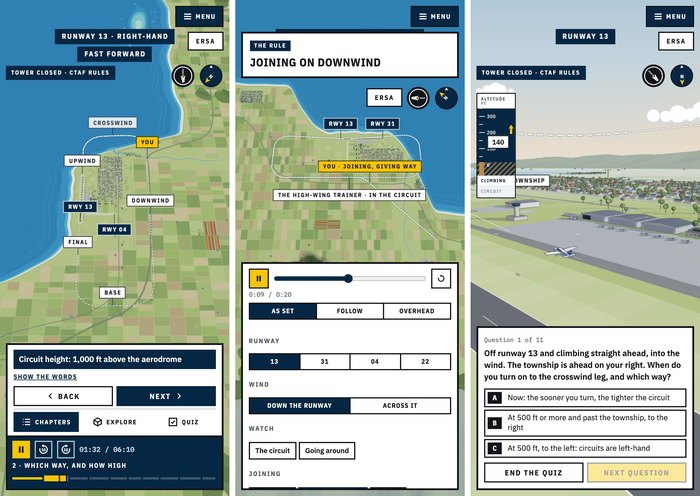
The circuit lesson on a phone: Lesson, Explore and Quiz.
Before you start
What you’ll need
Tern Bay is built for a desktop or laptop, and it works the computer hard, on memory and on graphics. Here’s what runs it well.
A recent desktop or laptop
With a good graphics chip. A recent, high-performance computer is recommended.
A current browser
The latest Chrome, Edge, Safari or Firefox, with graphics (hardware) acceleration switched on.
A steady connection
The lessons load as you go, so you’ll need to be online, on a steady internet connection.
Sound on, or headphones
Charlie talks you through every lesson. The captions are there when you can’t have sound.
Phones and older computers
Switch to SD, the lighter picture, in the lesson’s settings. They may still struggle: a desktop or laptop shows it at its best.
Included
Part of your PilotTrain subscription
The RPL Ground School comes with your PilotTrain subscription, alongside the practice exams. There’s nothing extra to buy.
- All 50 topics, in 10 sections
- Lesson, Explore and Quiz in every topic
- Charlie talks you through it, with captions
- Checked against CASR and the MOS
- The practice exams, in the same subscription
- Best on a desktop or laptop
RPL Ground School
Included in your PilotTrain subscription
Already subscribed? It’s included. New to PilotTrain? Choose a plan, and the Ground School comes with the practice exams.
Before you join
Questions, answered
Still stuck? Send us a message and we’ll reply within one business day.
What is the RPL Ground School?
An online companion to your textbook for the recreational pilot licence, aeroplane. Follow along as you read, and the ground school puts it into reality at Tern Bay: Charlie talks you through each topic in 3D, you try it yourself in Explore, then you check yourself in the quiz. It runs in your browser, so there’s nothing to install.
Do I still need a textbook?
Yes. The ground school is a companion, not a replacement: read your textbook, then come here to see it, fly it and check yourself.
Is it included in my subscription?
Yes. The RPL Ground School is part of your PilotTrain subscription, alongside the practice exams. There’s nothing extra to buy.
How does a topic count as done?
Pass its quiz. You need 70%, and only a passed quiz completes the topic, so your progress shows what you know rather than what you’ve clicked through.
What do I need to run it?
A recent desktop or laptop with a good graphics chip: it’s 3D, and it works the computer hard, on memory and on graphics. Use a current browser (the latest Chrome, Edge, Safari or Firefox) with graphics acceleration on, a steady internet connection, and sound on or headphones for Charlie.
Will it run on my phone?
It will run, in the lighter SD picture: switch to it in the lesson’s settings. But a phone or an older computer may struggle, and the lessons are at their best on a desktop or laptop.
Do I still need a flying school?
Yes. Your flying, and your flight test, happen with your flying school and your instructor. The ground school sits beside your textbook, not in place of either.
Your first lesson is at Tern Bay
Ten sections, from your first walk round the trainer to a solo to the bay and the debrief after it.
Included in your PilotTrain subscription